
Your digital briefcase for everyday life
Briefty allows you to save, organise and access the things you need, from temporary saves to long-term collections, on your iPhone.
It has useful tools for everyday use, including loyalty cards, tasks, trains and radio, without the setup and complexity of multiple apps.
No registration • No tracking • Everything stays on your iPhone

Your digital briefcase for everyday life
Briefty allows you to save, organise and access the things you need, from temporary saves to long-term collections, on your iPhone.
It has useful tools for everyday use, including loyalty cards, tasks, trains and radio, without the setup and complexity of multiple apps.
No registration • No tracking • Everything stays on your iPhone
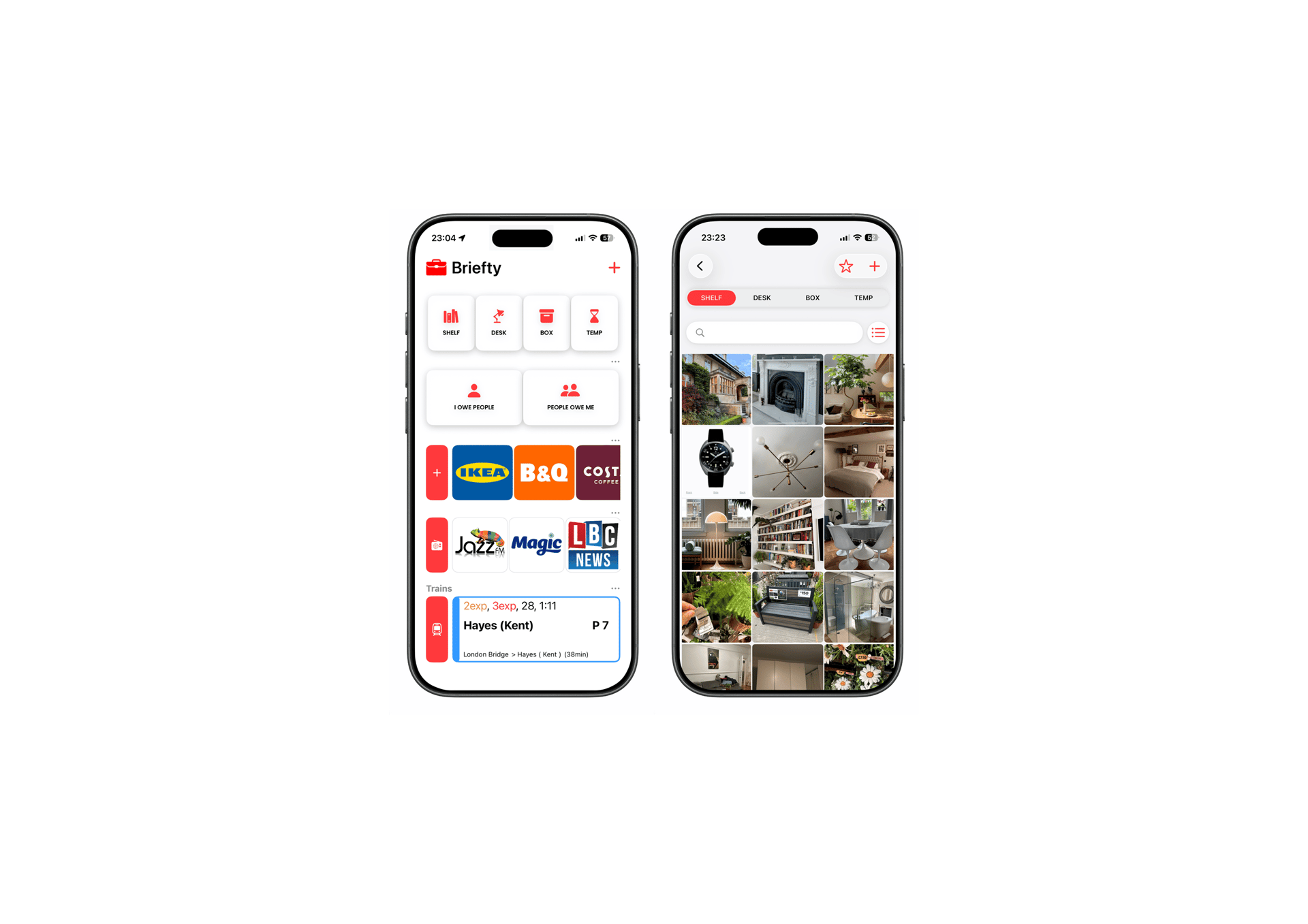
Quick access to the things you use every day
Why Briefty
One place for the things you need later
Briefty keeps everyday essentials organised, easy to find and ready when needed.
Save things quickly, find them in seconds and keep everything private on your iPhone.
Save what matters
Collections with images, bookmarks, cards, links and more in one place
Find it quickly
Search helps quickly find everything
Keep it private
No registration. No tracking. Everything stays on your iPhone



Get full access to Briefty
Unlock all features of Briefty with our pricing plans. Choose the perfect option to suit your needs and enjoy full access.
Find your plan
Primium
Logged in
Lifetime
19.99
Free
99.99
/month
/single payment
/month
X places
XX Pictures
Track products as wishlist and sold
Semmi-annual plan
No subscription
Priority support
X Number of products
All items on cloud
Search Title & Brand
X places
XX Pictures
Unlimited number of products
Add notes, price, warranty etc

Small details that make Briefty useful every day

Space-saving collections
Cards ready when needed
Simple task tracking
Save multiple reduced-size photos, videos, files, notes and links without filling your storage
Open cards quickly from the homepage or widgets. Add expiry dates for temporary items
Two very simple lists help keep track of things for yourself and others





UK train & Tube at a glance

See nearby departures, platforms and delays at a glance

Discover different music
Find radio stations by genre and save favourites for later. Also you can add and play your mp3 files from the Collections.
Ready from your homepage
Open important things straight from your Homepage or widgets
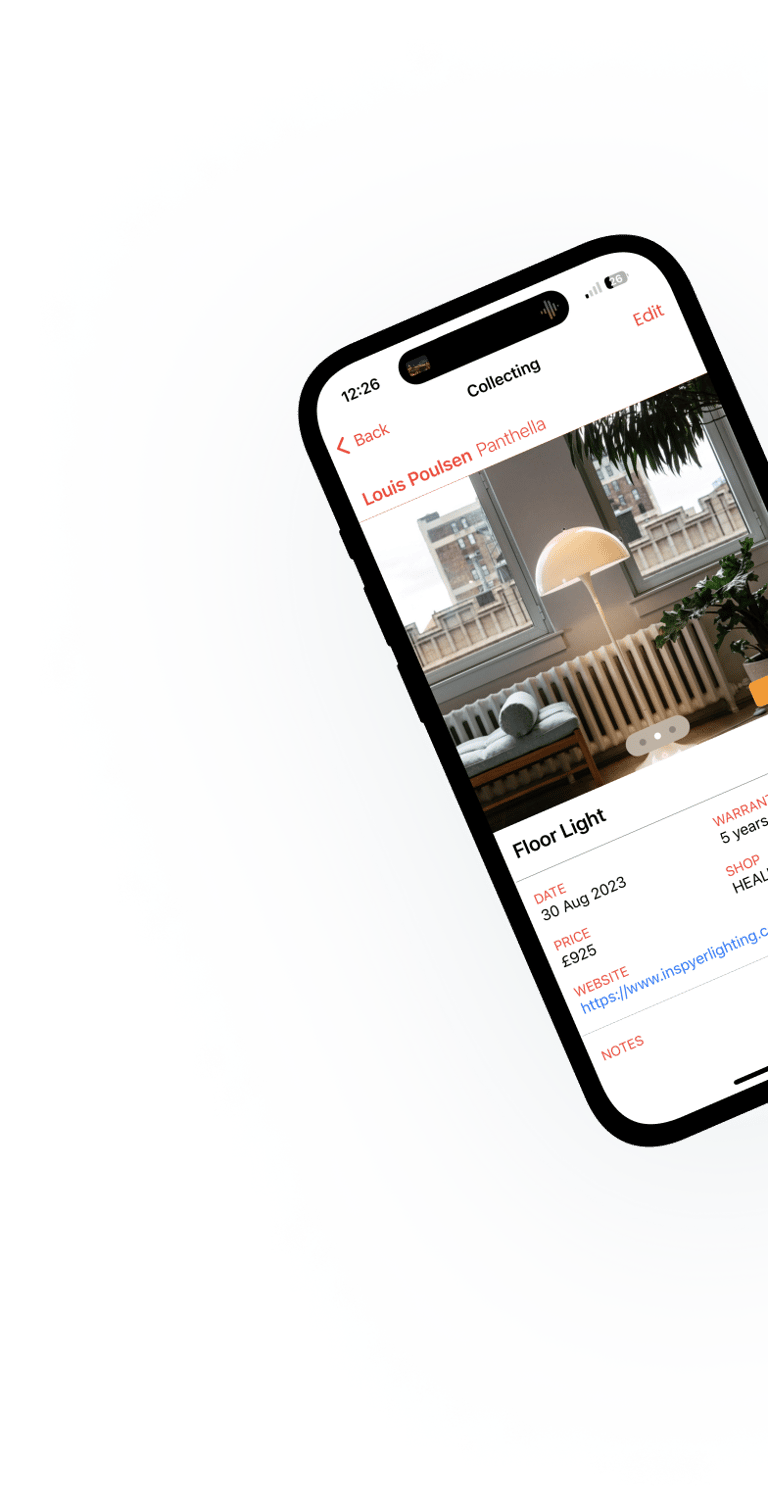
Built to stay simple
No accounts. No tracking. No unnecessary complexity. Briefty is designed to stay lightweight, private and easy to use every day.
Save tickets & screenshots
Keep temporary things nearby without losing them in Photos
Quick access
Works offline
Your data stays yours
Widgets & favourites keep important things ready
Everything stays private and on your iPhone
Most features work without internet conection
Frequently asked questions
Q: Does Briefty require an account?
A: No. Briefty works without registration or login and keeps your data on your device (Backup export and import are available via the menu).
Q: Does Briefty work offline?
A: Yes. Most features work offline. Internet is only needed for trains and radio.
Q: Can I save screenshots and tickets?
A: Yes. Save cards, QR codes, ticket screenshots and temporary items in one place.
Q: Is Briefty free?
A: No. Tap the Briefty logo at the top of the Homepage to open the menu. There you can choose what appears on your Homepage.
Even if you hide a section, you can still open it from the menu.
A: Yes. Briefty is fully usable for free. Some users choose to upgrade for more collection items, favourites and features.
Q: Do I need to have all sections of the app ?
Q: What does Full Access include?
A: More favourites, more items with more photos, videos, files and a few extra features such as product and manual search, player timers and more.
Q: Does Briefty require my location?
A: No. Location is only used to show nearby train stations and distances if Trains are enabled. Briefty does not track or store your location.
Q: Are photos and images smaller in size?
A: Yes. Briefty reduces image size to save storage and optimise images for smaller screens. Photos and videos taken by Briefty are optimised for size and phone screen - if you required high quality, please use your iPhone's camera app or similar.
Q: Can I share things into Briefty?
A: Yes. Save photos, files or links directly from other apps using the Share button. You can also save screenshots straight into Briefty before they are saved to Photos.
You may need to scroll to the right right in the Share Sheet's apps row and tap More to enable Briefty. This only needs to be done once.
Q: How do I add a note, expiry or cover to a card?
A: Tap a card to open it, then swipe up to open its details sheet. There you can add a title of the loyalty card, note, expiry date or hide the image using the eye icon.
Cards can also be deleted from there, or by pressing and holding the card on the Homepage.
Q: How do I use Shelf, Desk, Box & Temp?
A: Think of them as four simple collections:
Shelf - quick saves without much thought. Articles, links, screenshots or places to revisit later.
Desk - things you open often. Favourite websites, YouTube playlists, images with notes or things you refer to regularly.
Box - things you rarely need, but want ready when you do. Receipts, instructions, measurements or replacement parts.
Temp - short-term things that automatically delete after 180 days. Shopping ideas, screenshots or things you may not need later.
Each item keeps photos, notes, links and details together in one organised place.
These collections are designed to keep things quick and easy to find.
Q: Can I change the names of the Tasks lists?
A: Yes. Tap and hold the task list name to change it. You can even use a single emoji, which also appears on the Homepage.
Q: Does Briefty replace Apple Wallet?
A: Briefty works well alongside Apple Wallet for loyalty cards, ticket screenshots and temporary items that are quicker to access from the Homepage or widgets.
A: Your saved things stay on your device. Make sure your iPhone is backed up.
Q: What happens if I stop using Briefty?
Q: Can I backup my data?
A: Yes. Briefty includes an export backup option in the menu. Your data stays on your iPhone, so it is still important to keep your iPhone backed up.
More about Briefty
Our Blog
From time to time we may post what we are about or what’s coming. If you have something interesting or questions, please let us know.
Your digital briefcase for everyday life


Keep everyday essentials organised, easy to find and ready when needed.
Briefty is an independent app created by a small team in London. We built it because we wanted a more private and simpler way to handle everyday things.
The goal is to keep the things you actually need nearby, organised and easy to find - without needing to think too much about it.
Every part of Briefty is carefully thought through and designed from the ground up to be quick, clear and easy to use - where every tap matters.
Briefty is offline first and lightweight, with no accounts, no tracking and no complexity. It does not ask for personal information, avoids distractions, banners and unasked-for notifications.
Briefty is your digital briefcase that stays out of the way - but is always here when you need it.
The Briefty Team
Questions, feedback or ideas:
About Us & Contact Us